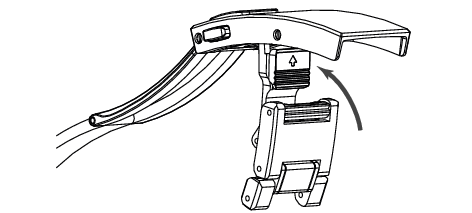
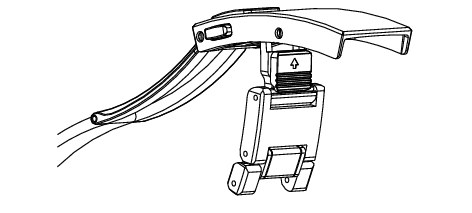
You can micro adjust the band length with the adjustment mechanism as well as change the wrist circumference by unfolding the band end.
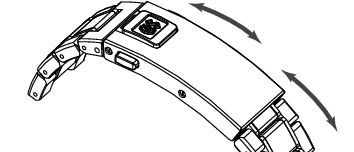
How to lengthen the band
Micro adjustment of approximately 6 mm is possible. (Adjustable in 3 steps of 2 mm each)
-
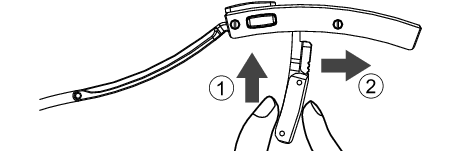
Grab the band and raise it against the buckle.
-
Release the lock by grabbing the end and pushing it against the buckle (
 ).
).
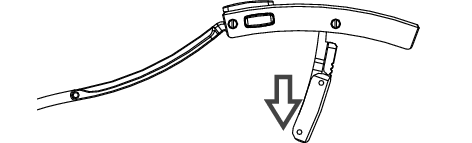
Slide it to the desired position while pressing it in ( ).
). -
Release once you have aligned with the desired position. The lock is engaged by the force of the spring.
-
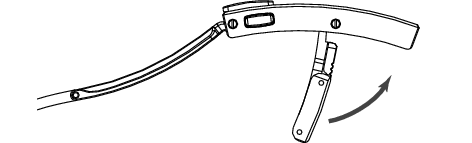
Rotate the band back against the buckle to return it to its closed position.
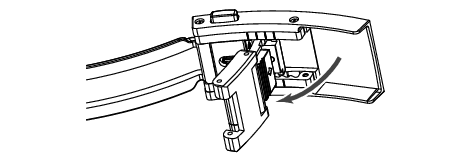
Please be careful not to pinch your fingers during this procedure.
There are a total of four adjustment positions, including the initial position.
Move the ▲ mark to align with the I mark guide.
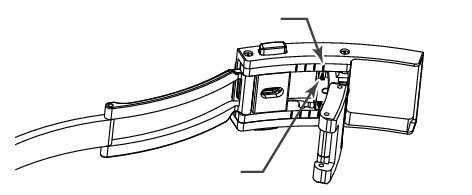
l mark
▲ mark
How to shorten the band
The above procedure is unnecessary to shorten the band; simply push the band in to adjust the length.
Slide the GS emblem to lock or unlock the buckle
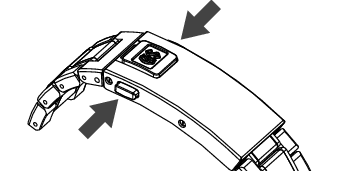
Opening and closing the buckle is done by squeezing the push buttons.
Locking the buckle on the wrist can be done by proceeding as below :
-
Slide the GS emblem upward. In this position, the push buttons cannot be squeezed.
-
Slide the GS emblem downward. In this position, the push buttons can be squeezed.
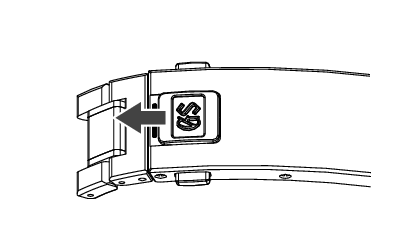
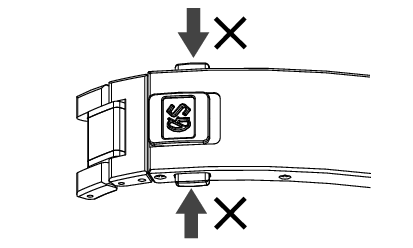
In the released position, a red line is visible.
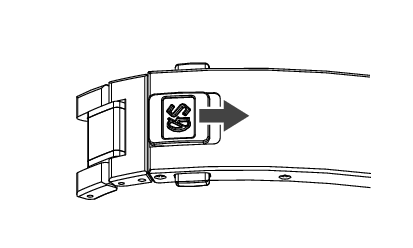
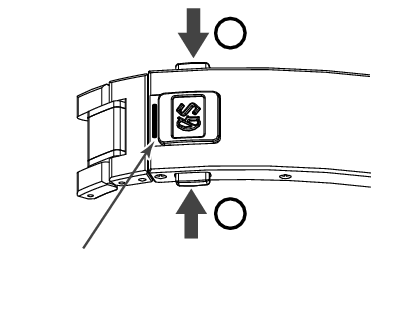
Illustration of released push buttons (red line)
To unfold the band end
An 18 mm length increase is possible by lengthening the band end.
-
Grab the band and raise it against the buckle.
-
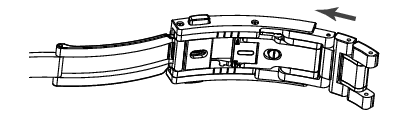
Release the lock by sliding the arrow-etched part in the direction of the arrow (
).
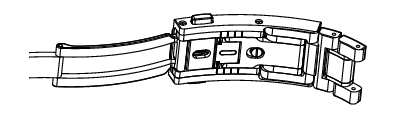
Lengthen by pulling the band and sliding it (). -
Rotate the band back against the buckle to return it to its closed position.
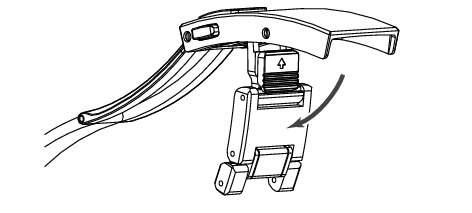
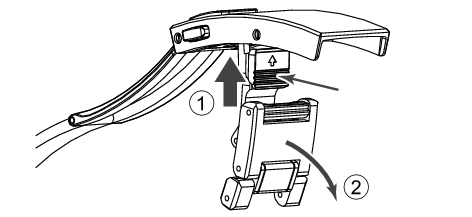
Operating mechanism
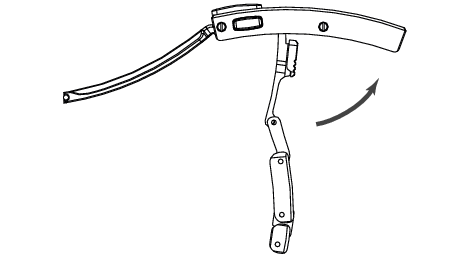
To fold the band end
When folding the band, you can store it simply by pushing the band in without operating any mechanism.